Block details
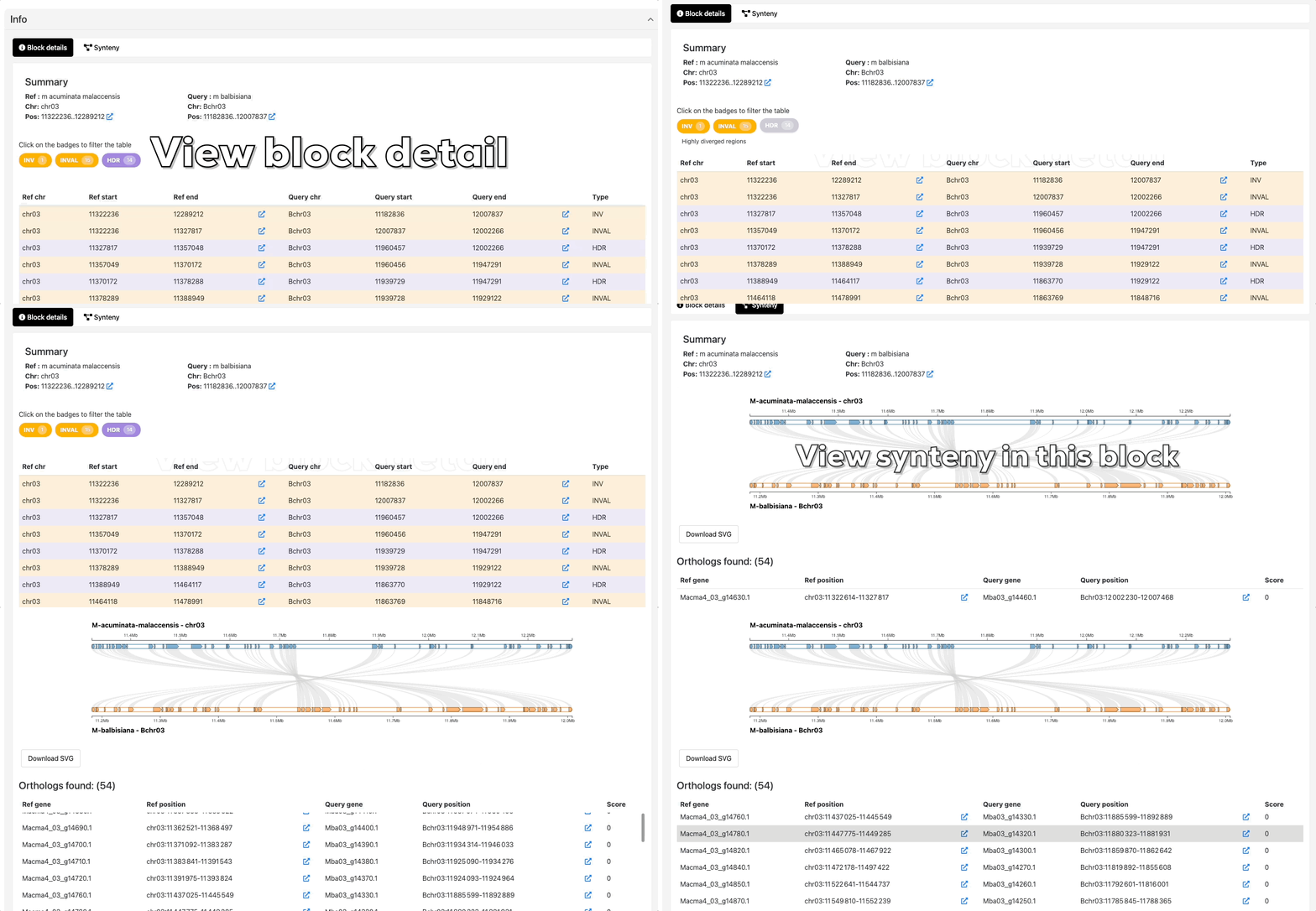
The block details view provides an in-depth look at individual synteny blocks identified by SyRI. When you click on a band in the main visualization, this view displays detailed information about the selected block, including:
- Block type: Whether it's a syntenic block, inversion, translocation, duplication, or other rearrangement
- Genomic coordinates: Start and end positions on both reference and query genomes
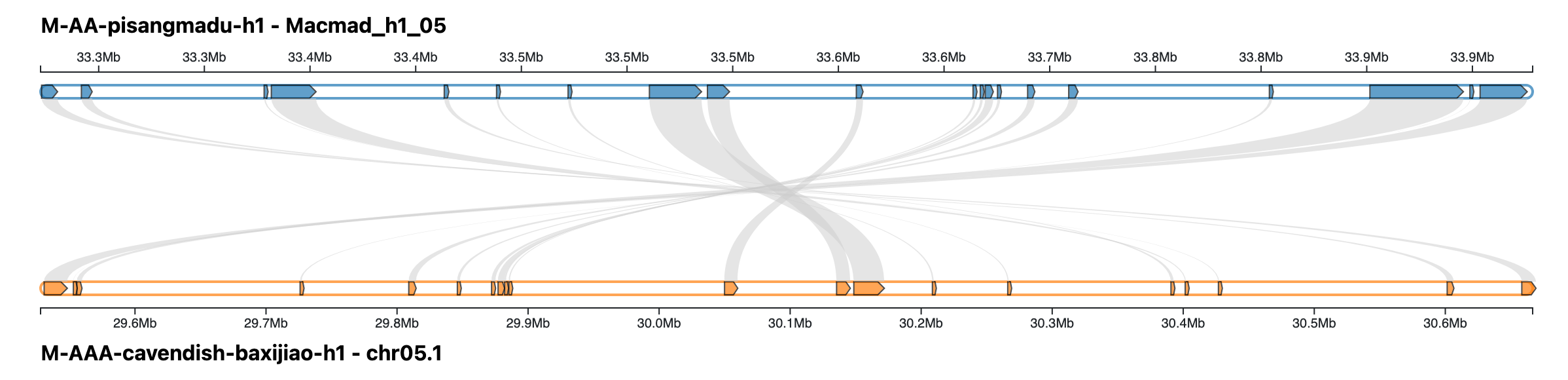
The block details view also includes a gene colinearity graph for the selected block. This graph shows genes from both genomes aligned side by side, highlighting conserved gene order and the structure of the syntenic region.
Below the graph, a detailed gene list table displays the genes present in the selected block, with columns for gene identifiers, chromosome positions, strand orientation, and any available annotation. This table makes it easy to inspect the exact gene content and compare the two genome sequences.
If JBrowse integration is available, the block details view also provides direct links to the corresponding regions in JBrowse for fast, context-aware genome browsing.
Synteny
In SynFlow, the synteny view is centered on gene colinearity within the selected block. When you click on a band, the block details view shows a gene colinearity graph where genes from both genomes are aligned side by side, revealing conserved gene order and disruptions caused by structural variation.
Below the graph, a gene list table provides the genes contained in the selected block, including gene identifiers and chromosome positions. If JBrowse integration is available, the table view also provides direct links to the corresponding regions in JBrowse for fast, context-aware genome browsing.